You already know that creating fresh content from scratch every day can be time-consuming and exhausting. That's why repurposing your existing videos into short-form vertical content like Instagram Reels is such a smart strategy. Whether you have old footage, movie clips, or published YouTube videos, you can easily turn them into engaging short-form content that reaches more viewers and boosts engagement.
So, how do you create Reels using existing videos, movie clips, or YouTube content?
In this guide, you'll learn how to make Reels using videos you already have with Instagram's built-in editor, use FlexClip's AI-powered long-video-to-shorts feature and other simple methods to turn your clips into scroll-stopping content.
Contents:
Free Templates for Your Reel Video Inspirations


Also Read: 5 Best Instagram Reel Maker Apps >
Part 1 How to Make Reels with Existing Video on Instagram
To make a reel on Instagram, you can simply record a new reel, or just combine several existing videos into a stunning reel video. Now follow the simple steps below to learn how to make reels with existing videos on Instagram.
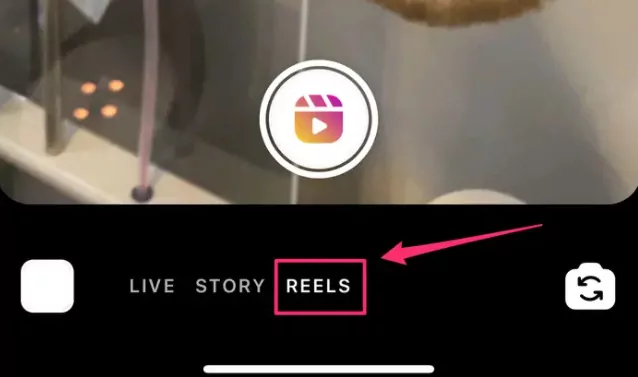
Make Reels with Existing Video on Instagram - Step 2
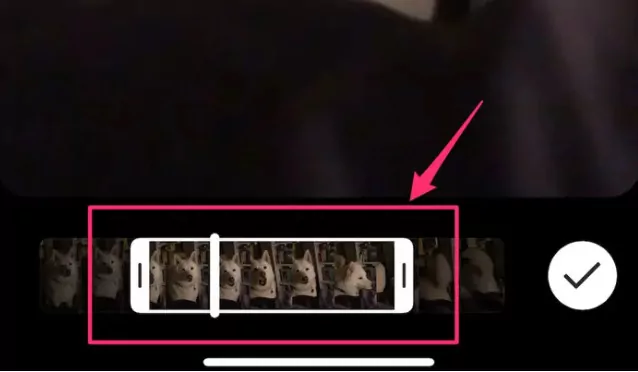
Make Reels with Existing Video on Instagram
Part 2 How to Make Reels from Existing Video with FlexClip
Besides making Reels from existing videos on Instagram directly, you can also use some third-party Reel video editors like FlexClip to combine prerecorded videos and photos, or mix movie clips, apply creative edits, and turn existing footage into more engaging and professional-looking Reel videos.
If you want a faster and more automated workflow to turn a long-form video into Reels for Instagram, FlexClip's AI-powered long-video-to-shorts feature saves you a huge amount of time. It can automatically detect highlight-worthy moments, reframe videos into vertical layouts, add subtitles, and generate multiple short clips ready for Instagram Reels, and more platforms like TikTok and YouTube Shorts.
Now, check the 2 methods below and learn how to make Instagram reels video with existing videos using FlexClip:
2.1 Auto-Clip Any Long-from Video into Reels with AI
Let's start with FlexClip's AI long to shorts tool to you. It can automatically trim and reframe any existing long-form videos like YouTube videos or movies to perfectly fit Instagram Reel format with face-centered framing and key moments extracted, ensuring your videos are perfectly centered and clipped, ready for Instagram Reel without any manual adjustments needed.
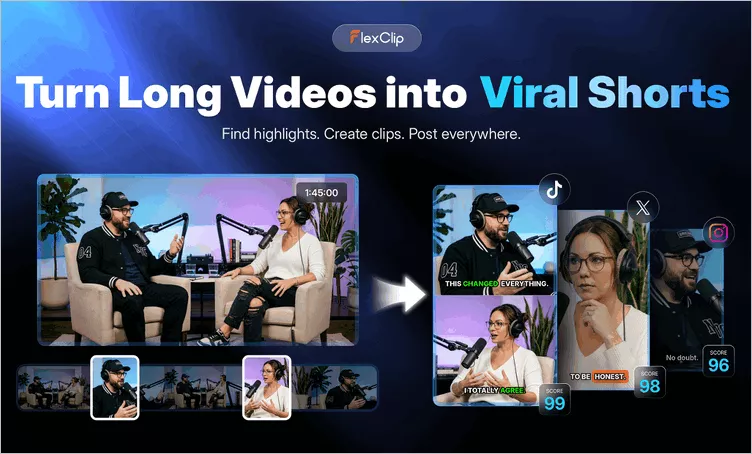
AI Instagram Reel Clipper - FlexClip Long to Shorts Tool
Now, let's check the detailed steps below to learn how to auto-clip any existing long-form video into Reels with FlexClip AI:
Step 1 Open FlexClip's AI Clipper

Click the Clip Video into Reels with AI button above and go to FlexClip's AI Clipper, then upload the video file you'd like to convert to Reels for Instagram. Here, you can directly convert a YouTube video for Reels by pasting its link, upload a video from your local file or even import a video from your Google Drive.
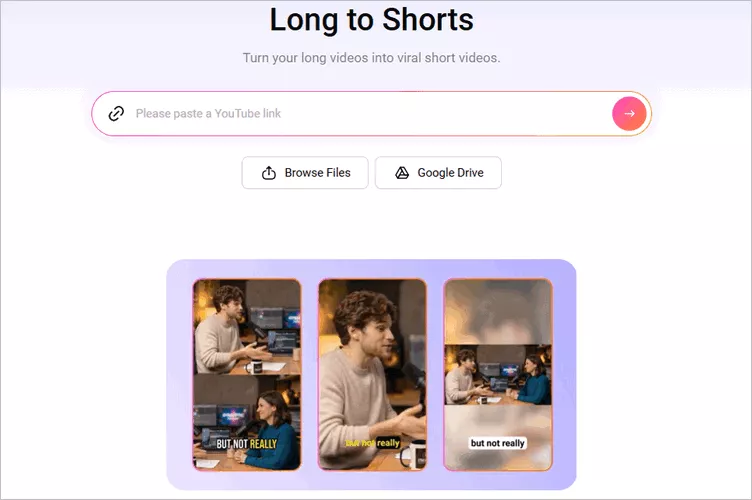
Auto-Clip Existing Video into Reels with AI with FlexClip AI - Access FlexClip's AI Clipper
Step 2 Adjust the Setting for Your Shorts
Once loaded, FlexClip will take you to the setting page, where you can adjust the settings and guide the AI to clip and reframe the video as you wish. Select the aspect ratio as 9:16 for Reels format, and then choose the language, clip type, subtitle style and more as you need.
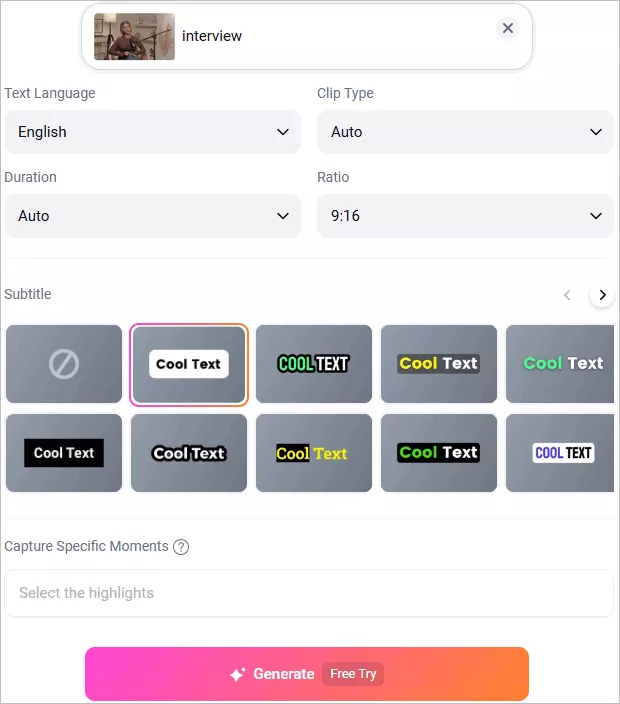
Auto-Clip Existing Video into Reels with AI with FlexClip AI - Adjust the Long to Short Video Setting
Step 3 Auto-Clip Existing Video into Reels with AI with One Click
Once selected, click the Generate button to start the clip the existing video into short clips for Instagram Reel. FlexClip AI will analyze your video, reframe it, capture highlight moments, add auto subtitles, and turn your long video into multiple short clips that perfectly fit Instagram Reels format.
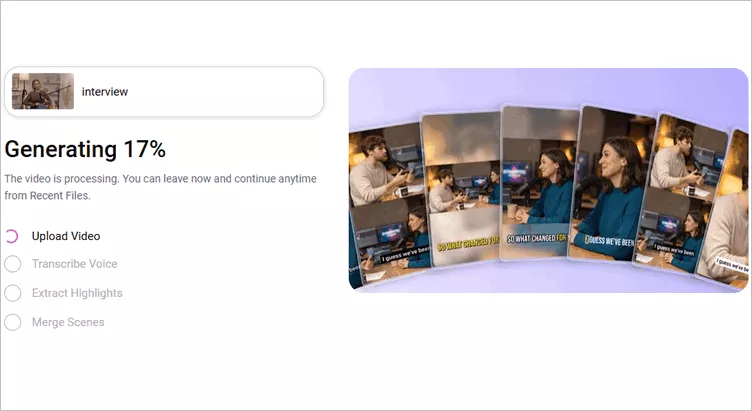
Auto-Clip Existing Video into Reels with AI with FlexClip AI - Generate Viral Shorts with One Click
Step 4 Preview and Download the AI-Generated Clips
Once generated, you can preview all the short clips one by one. If you need any adjustments for the AI-generated clips, you can click the trim button to view the full video transcript and select any portion from the transcript text to pick any wanted clips that showcase the most impactful moments of your content and generate a new clip.
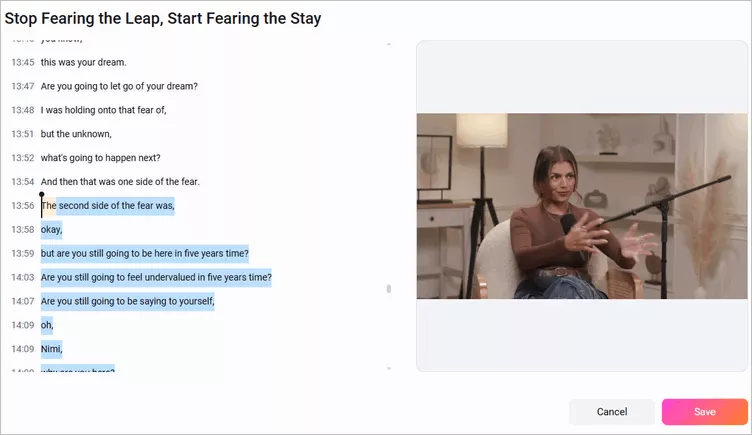
Auto-Clip Existing Video into Reels with AI with FlexClip AI - Select and Trim Clip
Once satisfied, you can choose the clips you like to download and share to Instagarm. Need more precise edits to prefect your reels? Just click the Open in Editor button and take your video clips into the built-in editor and make edits freely.
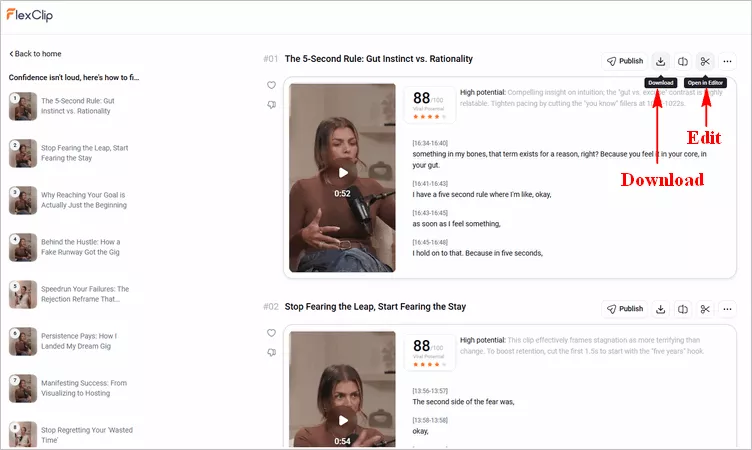
Auto-Clip Existing Video into Reels with AI with FlexClip AI - Download & Share Clip
2.2 Manually Edit Existing Videos to Instagram Reel
When you try to make a reel from existing videos, never forget FlexClip's built-in video editor! It offers powerful editing features, including trimming, splitting, merging, and more. Besides, it comes with preset aspect ratios, including 9:16(for YouTube Shorts, TikTok, Reels), 16:9(for YouTube), 1:1(for Instagram), etc., working perfectly as a powerful Instagram Reel maker to edit any existing video to fit Reel format with a 9:16 vertical ratio.
Step 1 Add the Existing Video to FlexClip
Go to FlexClip reels video editor to upload your existing video. Here you can drag and drop your existing footage to the Media section from your computer or scan it with your mobile phone to transfer your prerecorded videos or photos to FlexClip.
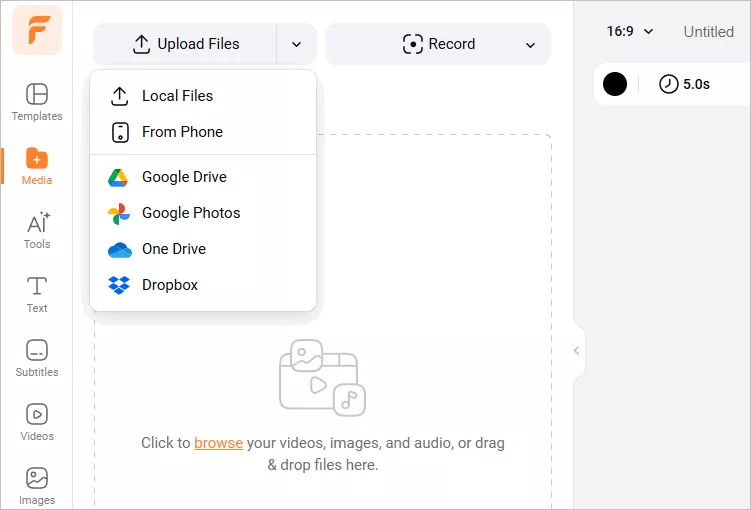
Make Reels with Existing Video Online - Upload Media
Step 2 Edit the Existing Video for Instagram Reel
Now, click the plus icon to add the video to the timeline, then find the ratio icon on the top left corner and select 9:16 for Instagram Reels. Then the video shall be automatically cropped and resized to fit that Instagram Reel size, ehich you can make more edits.
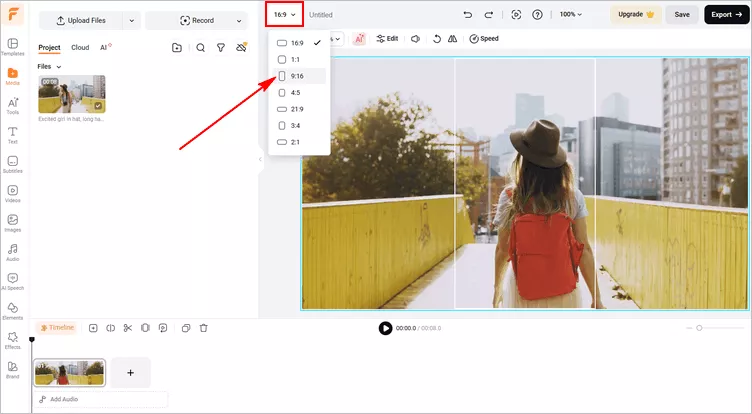
Make Reels with Existing Video Online - Aspect Ratio
To make sure no important details are missed after cropping your video, use the Zoom feature in the top menu and drag the scene on the canvas to adjust the frame and keep the main subject centered and highlighted.
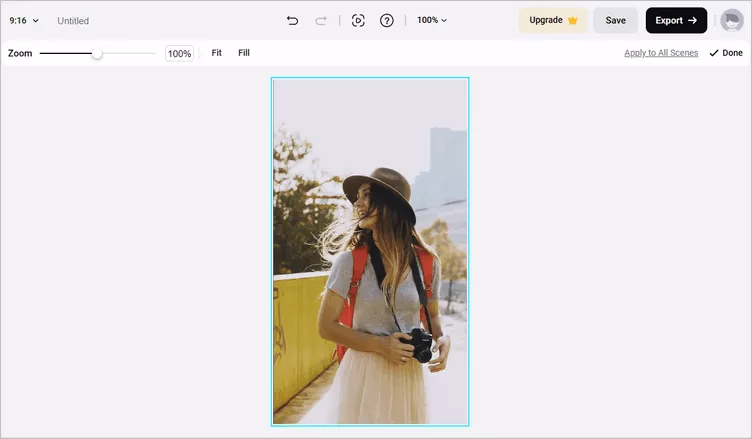
Make Reels with Existing Video Online - Zoom And Adjust
To spice up your reel video, you can add background music, text animation, funny stickers, filters, transitions, overlays, various shapes, etc. Also, you can try those AI tools to simplify your editing process, such as adding auto subtitles, generating AI voice narration, and more.
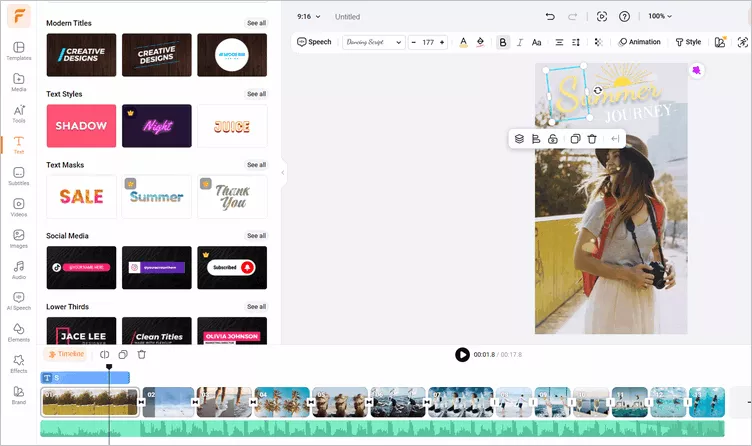
Make Reels with Existing Video Online - Make Edits
Step 3 Download the Video
Once you have done the editing, you can preview the video. If you are satisfied with your video, you can export your reel video in 480p, 720p, and 1080p and then post it to Instagram Reel.
Final Words
There you have it. It's pretty easy to make a reel from existing video on Instagram and use a third-party Reels editor, FlexClip, isn't it? Now, you can try it yourself.




FlexClip AI Video Maker
Reach professional-quality videos faster with easy editing tools, templates, and smart AI.
Start Now for Free
Hot & Trending
-

Best Ways to Find Music in YouTube Videos
-

Instagram Story Video Quality Bad After Upload? Fix It!
-

How to Repost Video on TikTok & How to Remove TikTok Repost
-

Improve Video Quality Online: 3 AI Video Quality Enhancers You Can't Miss
-

4K Convert to HD 1080p without Watermark: Best 4k Video Converters
-

Best 8 Free Video Editors - No Download Required
-

Top 13 Birthday Video Makers with Music and Effects Free
-

How to Search Filters on TikTok & Use a Filter You See - TikTok Filter Guide